Jenkins Pipeline for Java based application using Maven, SonarQube, Argo CD and Kubernetes

The project involves building and deploying a Java application using a CI/CD pipeline. Here are the steps involved:
Version Control: The code is stored in a version control system such as Git, and hosted on GitHub. The code is organized into branches such as the main or development branch.
Continuous Integration: Jenkins is used as the CI server to build the application. Whenever there is a new code commit, Jenkins automatically pulls the code from GitHub, builds it using Maven, and runs automated tests. If the tests fail, the build is marked as failed and the team is notified.
Code Quality: SonarQube is used to analyze the code and report on code quality issues such as bugs, vulnerabilities, and code smells. The SonarQube analysis is triggered as part of the Jenkins build pipeline.
Containerization: Docker is used to containerizing the Java application. The Dockerfile is stored in the Git repository along with the source code. The Dockerfile specifies the environment and dependencies required to run the application.
Container Registry: The Docker image is pushed to DockerHub, a public or private Docker registry. The Docker image can be versioned and tagged for easy identification.
Continuous Deployment: ArgoCD is used to automate the deployment of the containerized application to Kubernetes. Whenever a new version of the application image is pushed to the Git repository, ArgoCD will automatically deploy it to the Kubernetes cluster.
Overall, this project demonstrates how to integrate various tools commonly used in software development to streamline the development process, improve code quality, and automate deployment.
Setup an AWS EC2 Instance
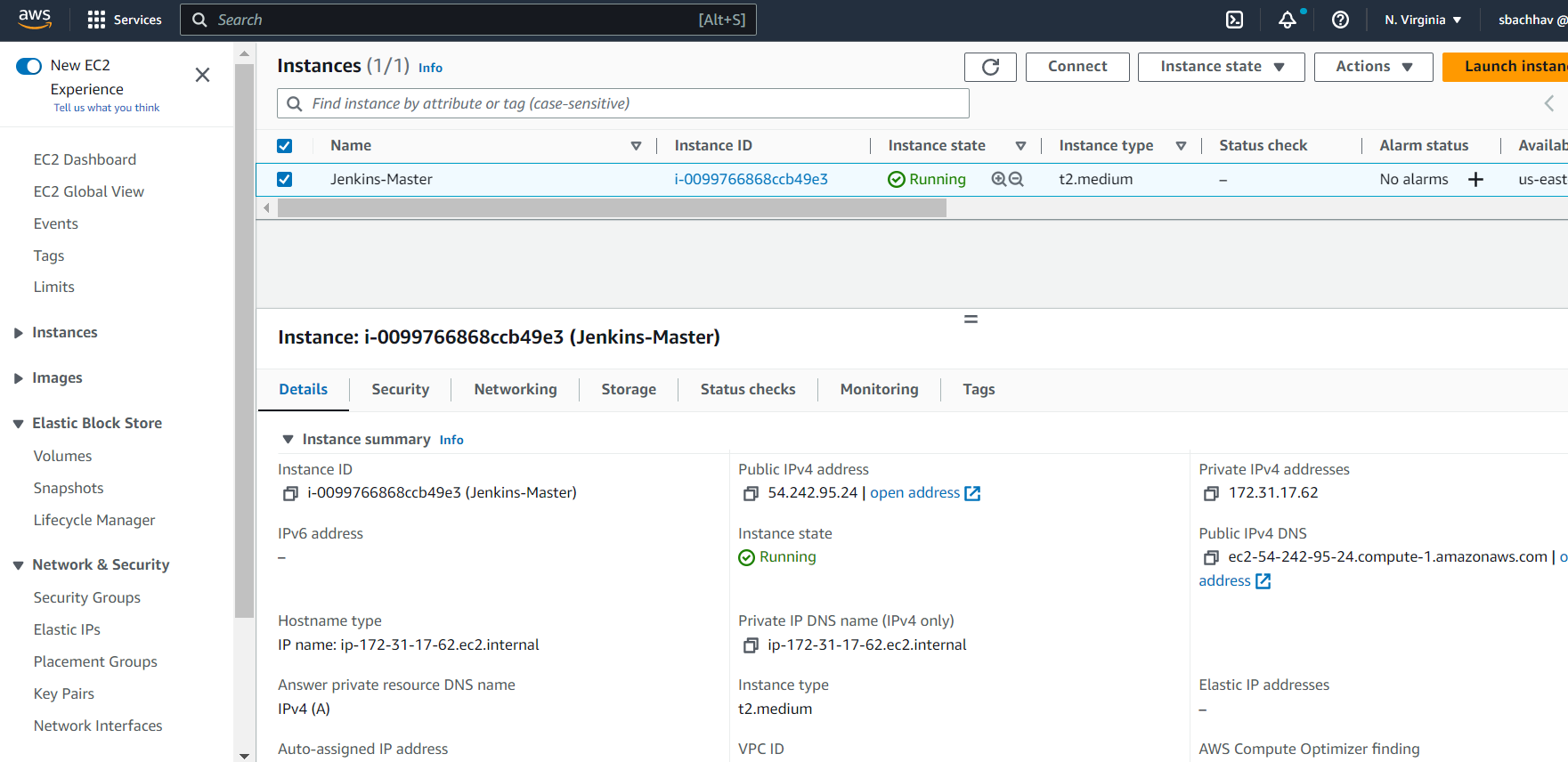
Login to an AWS account using a user with admin privileges and ensure your region is set to us-east-1 N. Virginia.
Move to the EC2 console. Click Launch Instance.
For name use Main-Server
Select AMIs as Ubuntu and select Instance Type as t2.medium. Create new Key Pair and Create a new Security Group with traffic allowed from ssh, http and https.
Run Java application on EC2
This step is optional. We want to see which application we wanted to deploy on the Kubernetes cluster.
This is a simple Spring Boot-based Java application that can be built using Maven.
git clone https://github.com/sunitabachhav2007/Jenkins-Zero-To-Hero.git
cd Jenkins-Zero-To-Hero/java-maven-sonar-argocd-helm-k8s/spring-boot-app
sudo apt update
sudo apt install maven
mvn clean package
mvn -v
sudo apt update
sudo apt install docker.io
sudo usermod -aG docker ubuntu
sudo chmod 666 /var/run/docker.sock
sudo systemctl restart docker
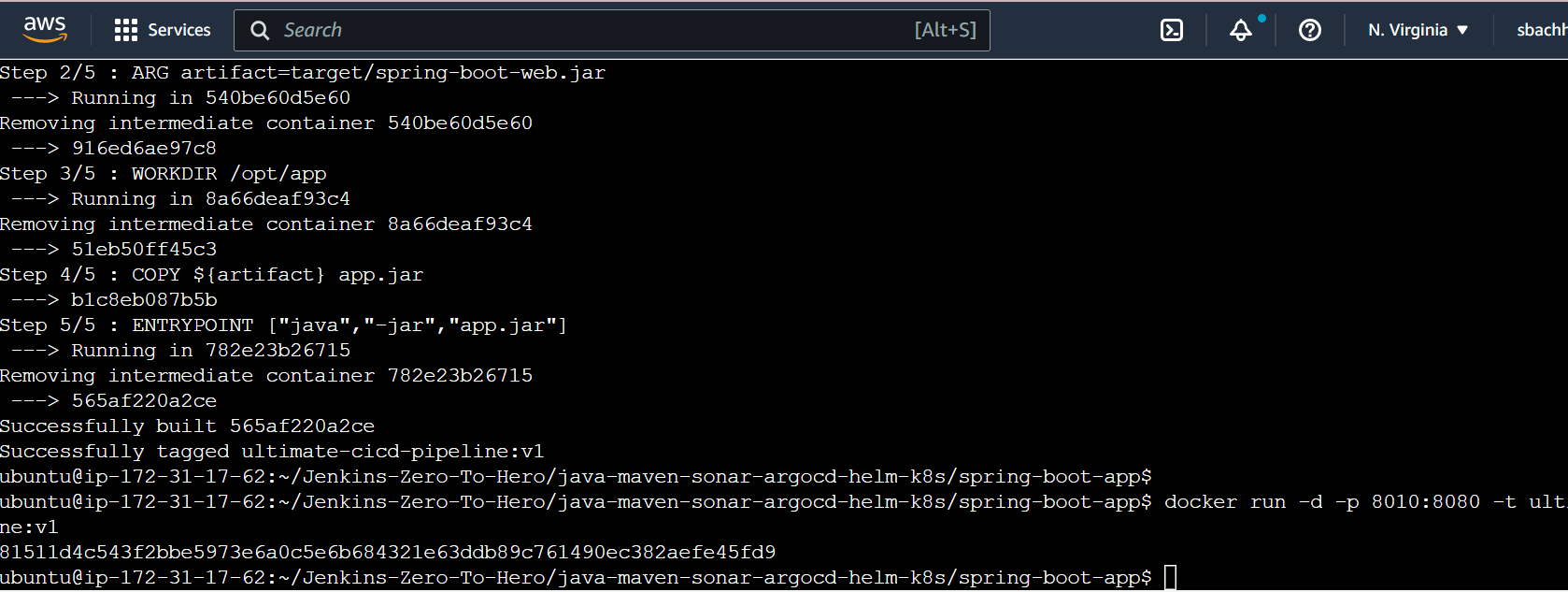
docker build -t ultimate-cicd-pipeline:v1 .
docker run -d -p 8010:8080 -t ultimate-cicd-pipeline:v1

Add Security inbound rule for port 8010
http://54.224.80.54:8010/

Now we are going to deploy this application on Kubernetes by CICD pipeline.
Continuous Integration
Install and Setup Jenkins
Step 1: Install Jenkins
Follow the steps for installing Jenkins on the EC2 instance.
sudo apt update
sudo apt install openjdk-11-jre
java -version
curl -fsSL https://pkg.jenkins.io/debian/jenkins.io-2023.key | sudo tee \
  /usr/share/keyrings/jenkins-keyring.asc > /dev/null
echo deb [signed-by=/usr/share/keyrings/jenkins-keyring.asc] \
  https://pkg.jenkins.io/debian binary/ | sudo tee \
  /etc/apt/sources.list.d/jenkins.list > /dev/null
sudo apt-get update
sudo apt-get install jenkins
Step 2: Setup Jenkins
You can get the ec2-instance-public-ip-address from your AWS EC2 console page.
Edit the inbound traffic rule to only allow custom TCP port 8080
http://:<ec2-instance-public-ip-address>8080.
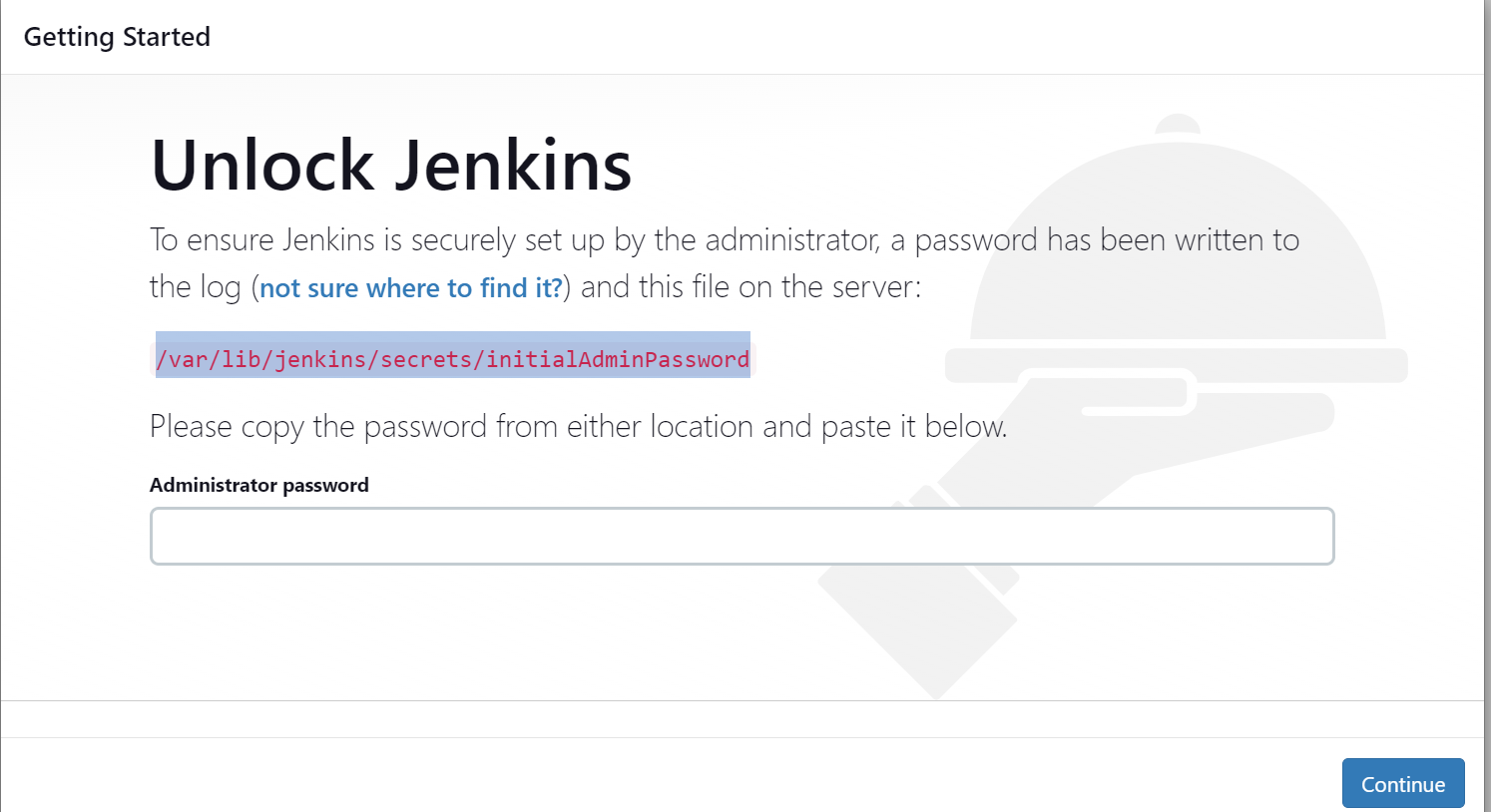
sudo cat /var/lib/jenkins/secrets/initialAdminPassword

After completing the installation of the suggested plugin you need to set the First Admin User for Jenkins.

Click Save and Continue.
Click Save and Finish.
And now your Jenkins is ready for use

Start Using Jenkins.
Create a new Jenkins pipeline
Github: https://github.com/sunitabachhav2007/Jenkins-Zero-To-Hero.git
Click on New Item. Select Pipeline and Enter an Item name.
Select your repository where your Java application code is present. Make changes in Repository according to your DockerHub Id and GitHub Id in spring-boot-app/JenkinsFile and spring-boot-app-manifest/deployment.yml
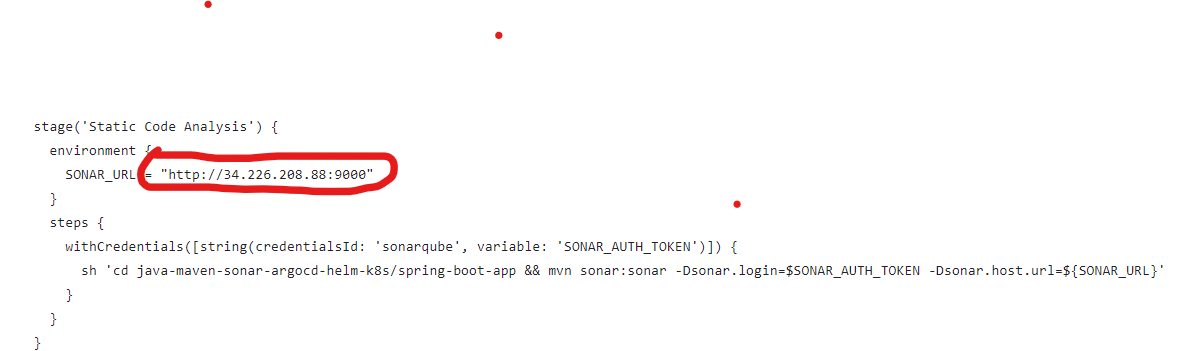
Update this URL in spring-boot-app/JenkinsFile with your SonarQube URL(EC2 server)

Install the necessary Jenkins plugins
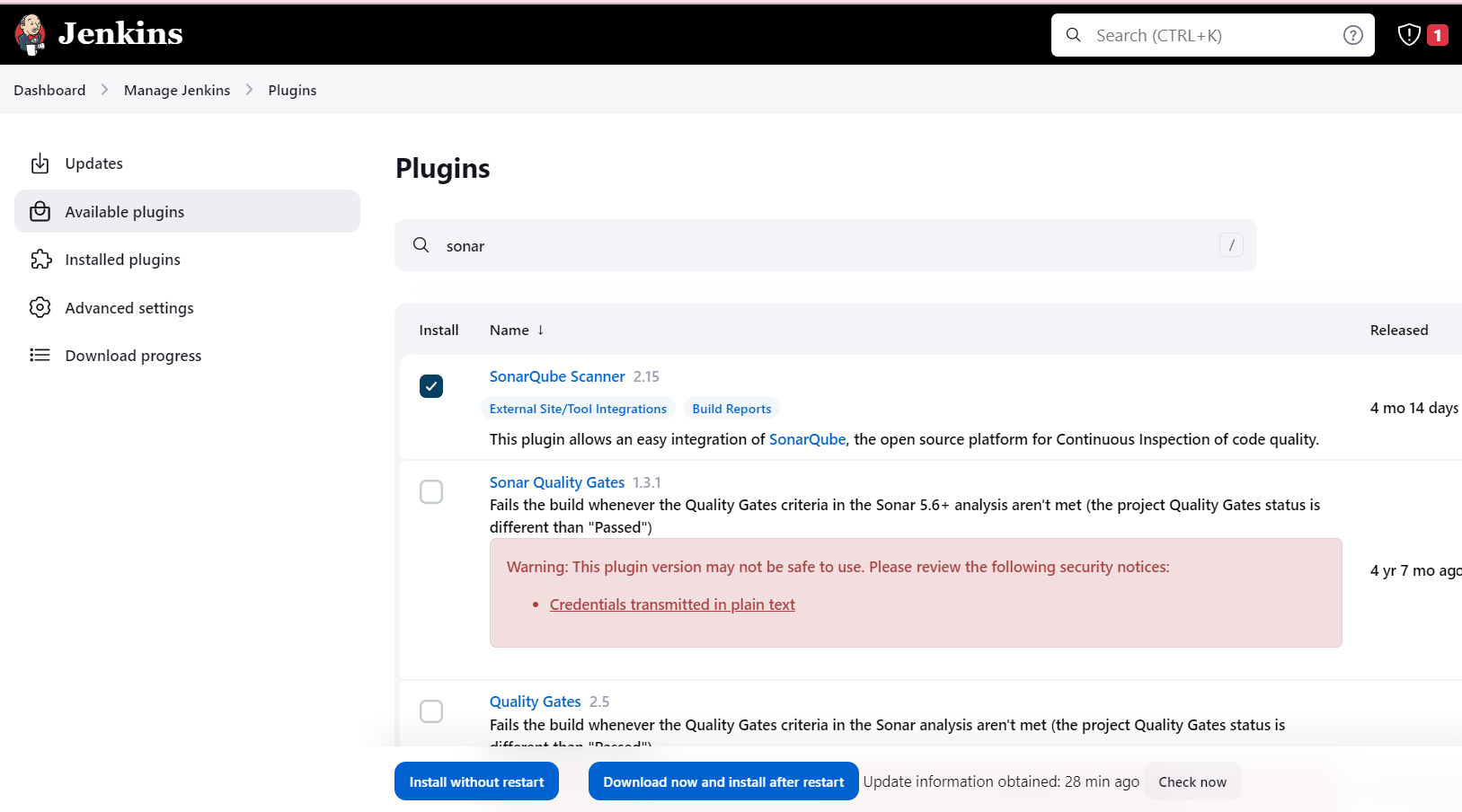
Goto Jenkins Dashboard \==> Manage Jenkins \==> Plugins \==> Available plugins
Docker Pipeline
SonarQube Scanner

Configure a Sonar Server locally
SonarQube is used as part of the build process (Continuous Integration and Continuous Delivery) in all Java services to ensure high-quality code and remove bugs that can be found during static analysis.
sudo adduser sonarqube
sudo su - sonarqube

wget https://binaries.sonarsource.com/Distribution/sonarqube/sonarqube-9.4.0.54424.zip
sudo apt install unzip
unzip *
chmod -R 755 /home/sonarqube/sonarqube-9.4.0.54424
chown -R sonarqube:sonarqube /home/sonarqube/sonarqube-9.4.0.54424
cd sonarqube-9.4.0.54424/bin/linux-x86-64/
./sonar.sh start

Edit the inbound traffic rule to only allow custom TCP port 9000
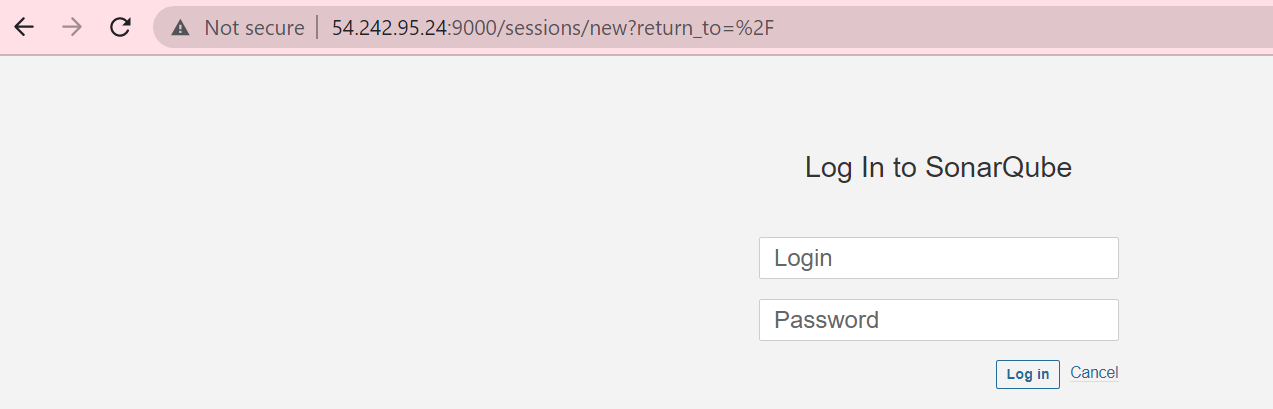
Enter Login as admin and password as admin.

Change with a new Password.
Create Credentials in Jenkins
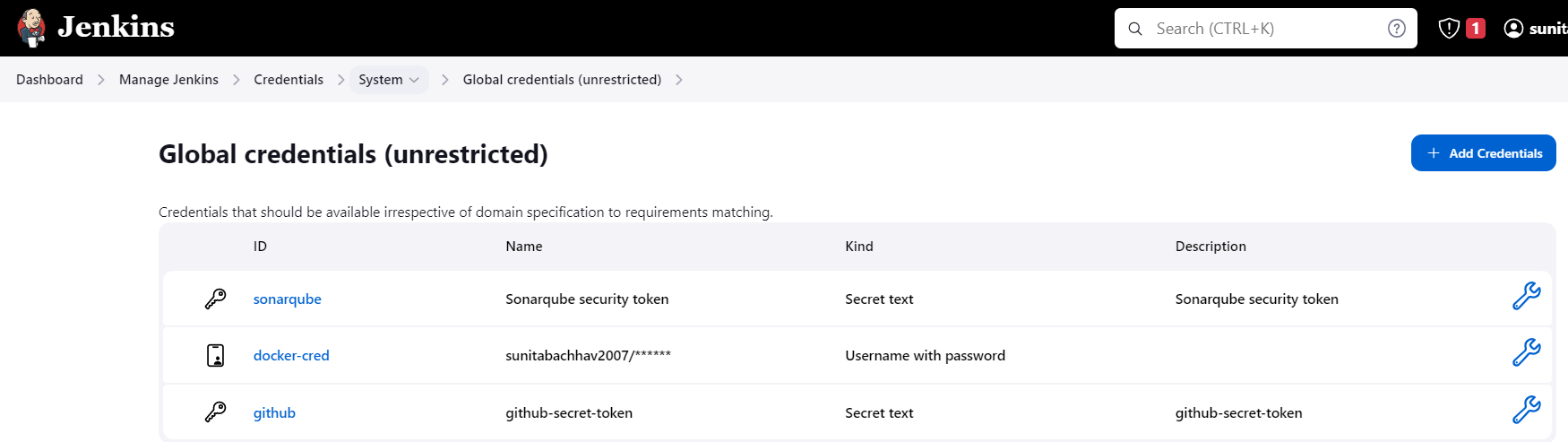
Please keep the below credentials ID name (sonarqube, docker-cred, github) as it is. Else according to your credentials, you need to make changes in Jenkinsfile.
Step 1: Credential for SonarQube
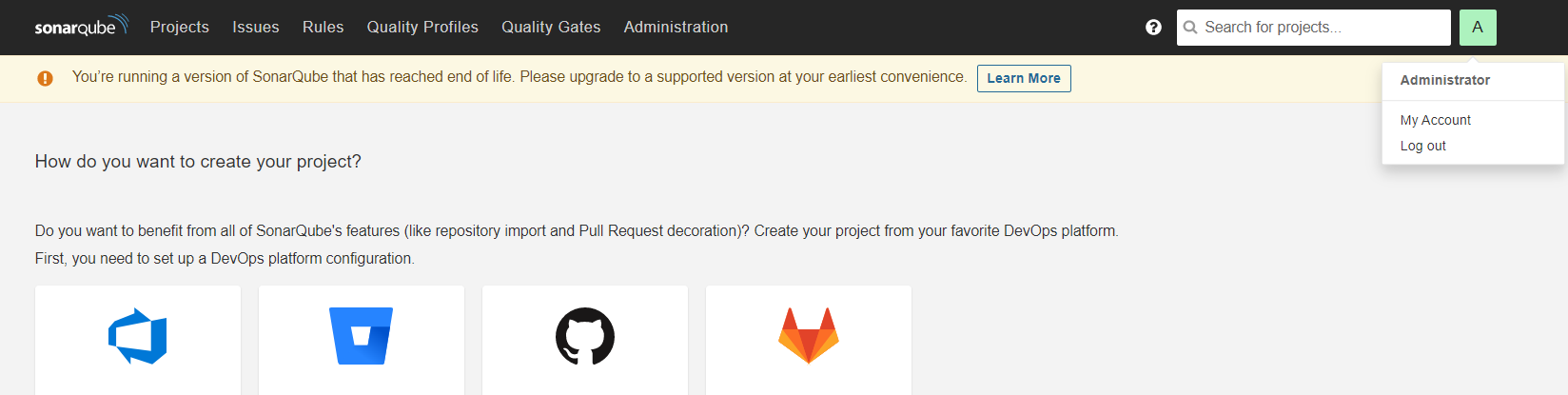
Go to the right-hand corner A then click on My Account ==> Security
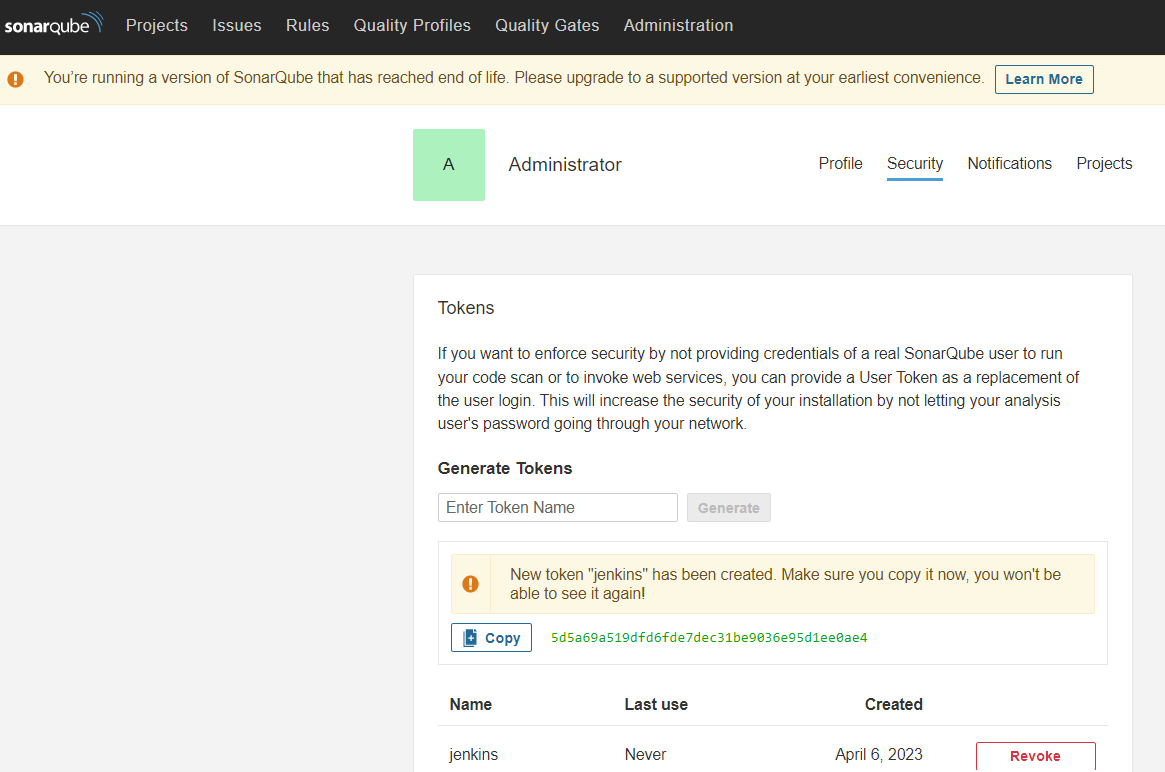
5d5a69a519dfd6fde7dec31be9036e95d1ee0ae4

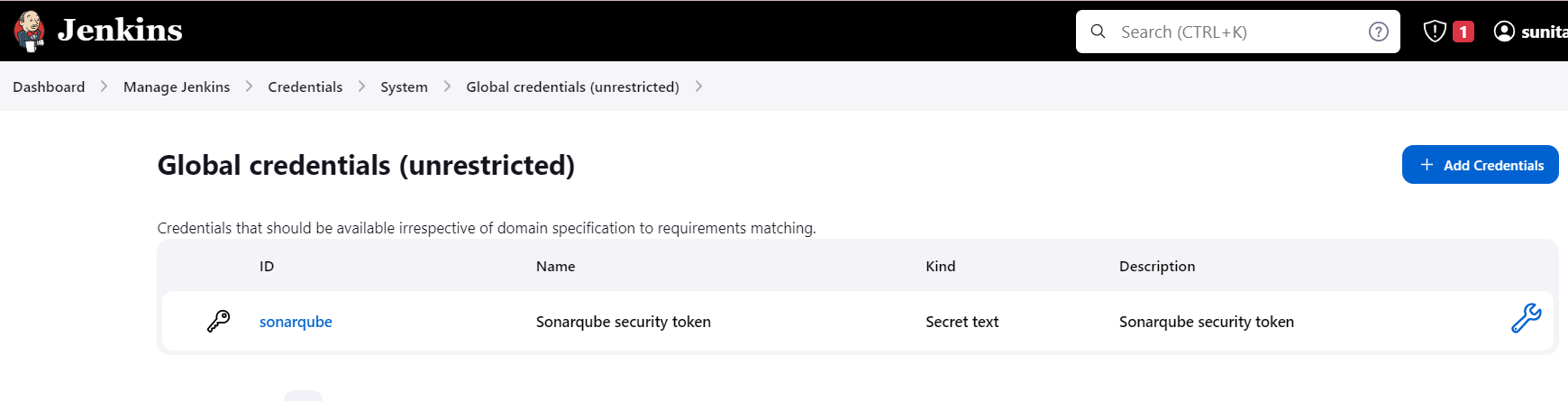
Step 2: Create DockerHub Credential in Jenkins
Step 1: Setup Docker Hub Secret Text in Jenkins
You can set the docker credentials by going into -
Goto -> Jenkins -> Manage Jenkins -> Manage Credentials -> Stored scoped to jenkins -> global -> Add Credentials

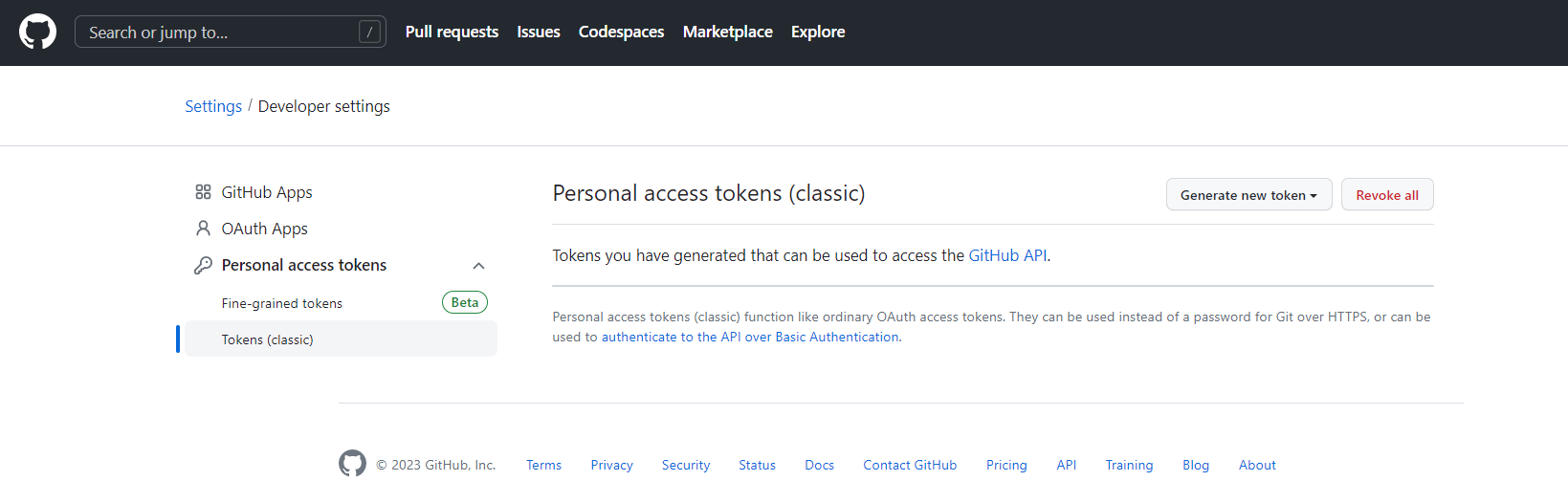
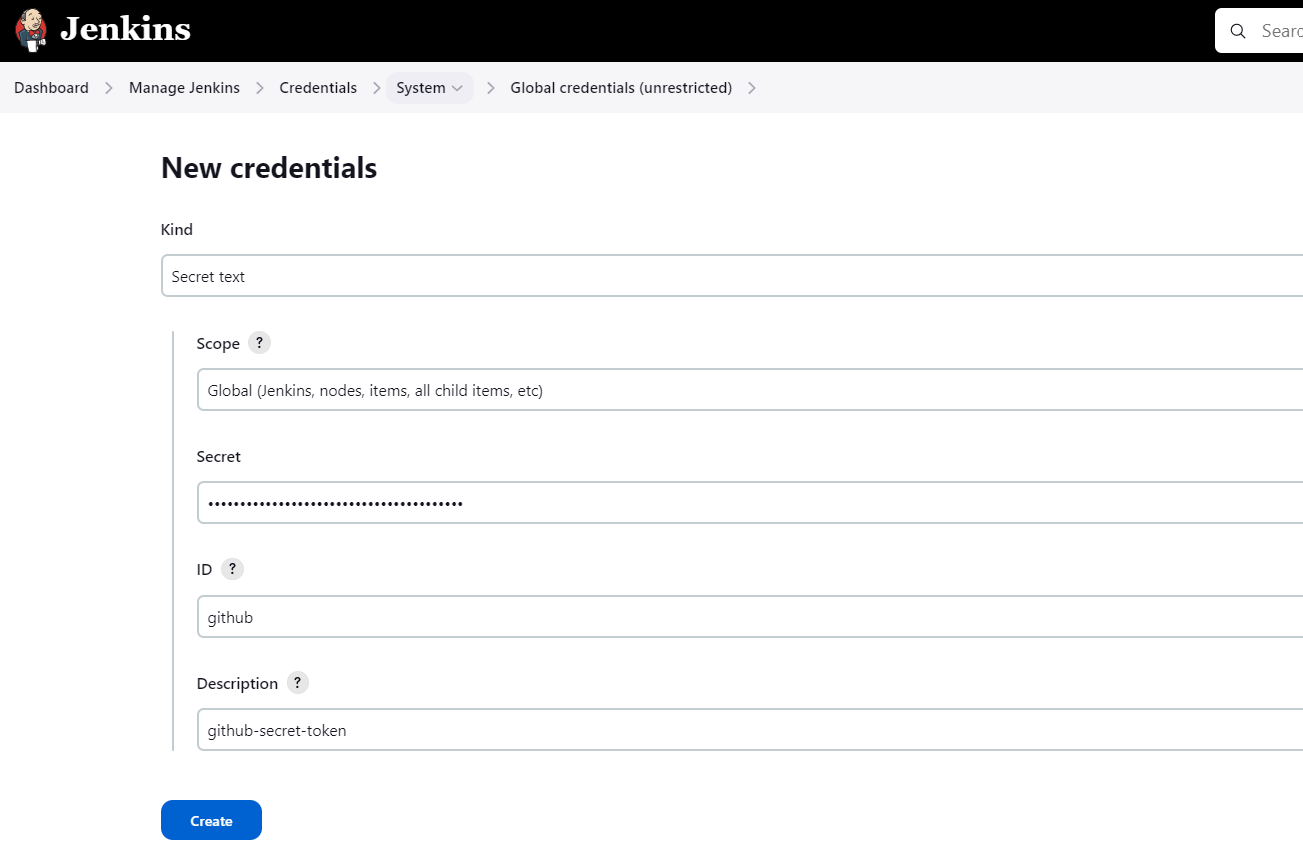
Step 3: Create GitHub credential in Jenkins
Goto GitHub ==> Setting ==> Developer Settings ==> Personal access tokens ==> Tokens(Classic) ==> Generate new token

Install Docker

If you have not performed step 1 and docker is not installed on your machine then please follow the below steps:
sudo apt update
sudo apt install docker.io
sudo usermod -aG docker $USER
sudo usermod -aG docker jenkins
sudo systemctl restart docker

Do jenkin Restart.

Run Pipeline

deployement.yml file gets updated with the latest image.

SonarQube Output will be like this.
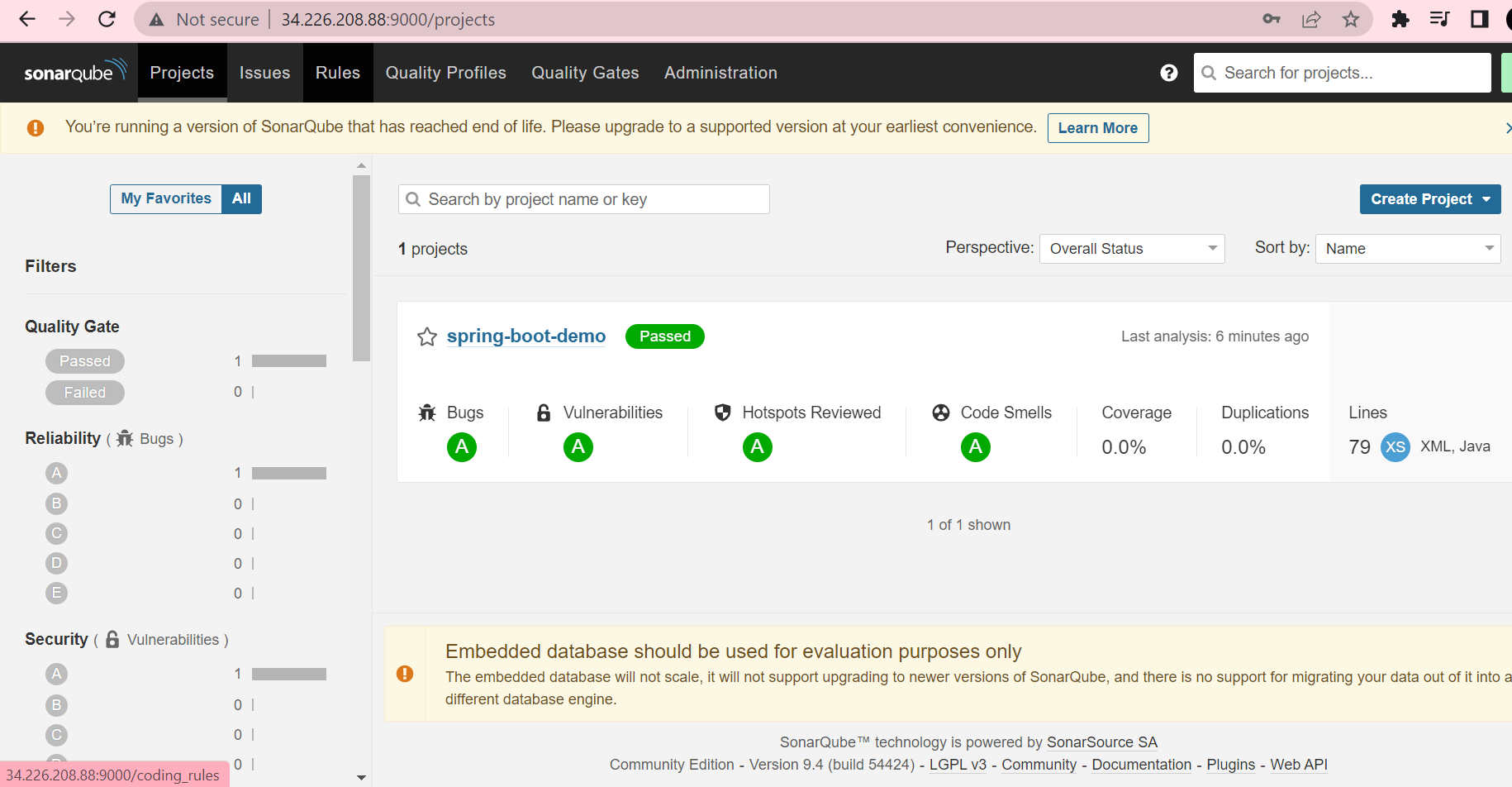
Check DockerHub, that a new image is created for your Java application.

This way, we completed CI ( Continuous Integration) Part. Java application is built, SonarQube completed static code analysis and the latest image is created, push to DockerHub and updated Manifest repository with the latest image.
Continuous Delivery Part
ArgoCD is utilized in Kubernetes to establish a completely automated continuous delivery pipeline for the configuration of Kubernetes. This tool follows the GitOps approach and operates in a declarative manner to deliver Kubernetes deployments seamlessly.
Argo CD Setup
Argo CD is a very simple and efficient way to have declarative and version-controlled application deployments with its automatic monitoring and pulling of manifest changes in the Git repo, but it also has easy rollback and reverts to the previous state, not manually reverting every update in the cluster.
In this section, I provided a guide on achieving continuous deployment on Minikube. However, I understand that for Windows OS users, the process of setting up Virtual Box can be quite daunting, especially for those who are not familiar with the technology. Additionally, configuring Minikube and ArgoCD on a Virtual Box/EC2 instance can require more manual setup and configuration. Given these challenges, I would like to offer an alternative solution by explaining how to deploy the Java application on Amazon EKS. For that you need to refer to my blog - Continuous Delivery with Amazon EKS and ArgoCD
For Continuous Delivery with Minikube and ArgoCD, follow the below steps.
Install VirtualBox and Ubuntu on it
This step is not required if you are using the Linux operating system.
However, for users with the Windows operating system, please follow the below video if you want to know - How to Install Ubuntu 22.04 LTS on Windows 10 / Windows 11.
https://www.youtube.com/watch?v=v1JVqd8M3Yc&t=74s
We will use this virtual machine for the next Continuous Delivery part of this project.
Setup Minikube
Minikube is a tool that enables users to set up and run a single-node Kubernetes cluster on their local machine. It is useful for developers who want to test their applications in a local Kubernetes environment before deploying them to a production cluster. Minikube provides an easy way to learn and experiment with Kubernetes without the need for a complex setup.
After performing the steps we install Minikube and start it.
sudo apt-get update
sudo apt-get install docker.io
curl -LO https://storage.googleapis.com/minikube/releases/latest/minikube-linux-amd64
sudo install minikube-linux-amd64 /usr/local/bin/minikube
sudo usermod -aG docker $USER && newgrp docker
sudo reboot docker
minikube start --driver=docker
Install kubectl
Kubectl is a command-line interface (CLI) tool that is used to interact with Kubernetes clusters. It allows users to deploy, inspect, and manage Kubernetes resources such as pods, deployments, services, and more. Kubectl enables users to perform operations such as creating, updating, deleting, and scaling Kubernetes resources.
Run the following steps to install kubectl.
curl -LO "https://storage.googleapis.com/kubernetes-release/release/$(curl -s https://storage.googleapis.com/kubernetes-release/release/stable.txt)/bin/linux/amd64/kubectl"
chmod +x ./kubectl
sudo mv ./kubectl /usr/local/bin
kubectl version


Install Argo CD operator
ArgoCD is a widely-used GitOps continuous delivery tool that automates application deployment and management on Kubernetes clusters, leveraging Git repositories as the source of truth. It offers a web-based UI and a CLI for managing deployments, and it integrates with other tools. ArgoCD streamlines the deployment process on Kubernetes clusters and is a popular tool in the Kubernetes ecosystem.
The Argo CD Operator manages the full lifecycle of Argo CD and its components. The operator's goal is to automate the tasks required when operating an Argo CD cluster.
curl -sL https://github.com/operator-framework/operator-lifecycle-manager/releases/download/v0.24.0/install.sh | bash -s v0.24.0
kubectl create -f https://operatorhub.io/install/argocd-operator.yaml
kubectl get csv -n operators
kubectl get pods -n operators

Goto link https://argocd-operator.readthedocs.io/en/latest/usage/basics/
The following example shows the most minimal valid manifest to create a new Argo CD cluster with the default configuration.
Create argocd-basic.yml with the following content.
apiVersion: argoproj.io/v1alpha1
kind: ArgoCD
metadata:
  name: example-argocd
  labels:
    example: basic
spec: {}
kubectl apply -f argocd-basic.yml
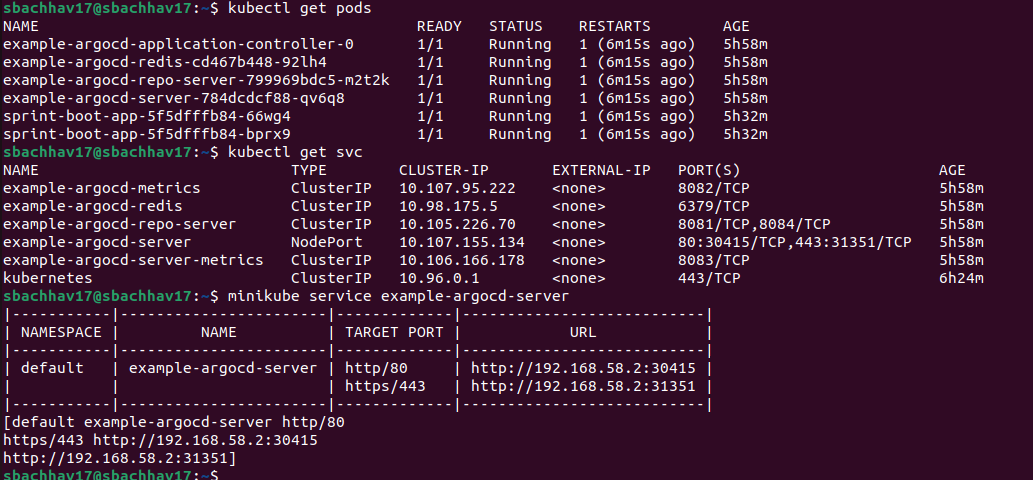
kubectl get pods
kubectl get svc
kubectl edit svc example-argocd-server
minikube service example-argocd-server
kubectl get secret



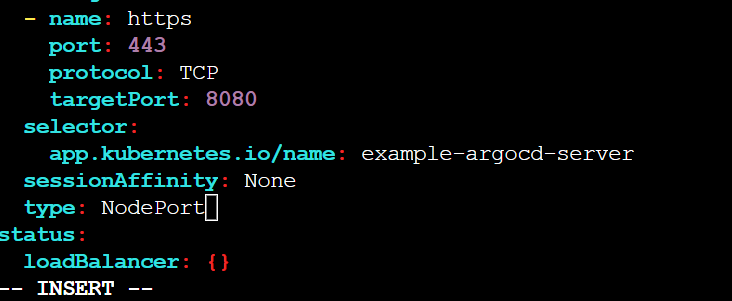
NodePort services are useful for exposing pods to external traffic where clients have network access to the Kubernetes nodes.
kubectl edit svc example-argocd-server And change from ClusterIP to NodePort. Save it.
Password for Argo CD
Find out password for Argo CD, so that, we can access Argo CD web interface.
kubectl get secret
kubectl edit secret example-argocd-cluster
Copy admin.password


echo <admin.password> | base64 -d

Argo CD Configuration
Username : admin
Password : 2zjrcTKFRvEgBZW1ftUO4GuodQD5A9CH

We will use the Argo CD web interface to run sprint-boot-app.
Setup Github Repository manifest and Kubernetes cluster.


After Create. You can check if pods are running for sprint-boot-app

You have now successfully deployed an application using Argo CD.
Argo CD is a Kubernetes controller, responsible for continuously monitoring all running applications and comparing their live state to the desired state specified in the Git repository.

References
Github: https://github.com/sunitabachhav2007/Jenkins-Zero-To-Hero.git
Youtube Link: https://www.youtube.com/watch?v=JGQI5pkK82w&list=PLdpzxOOAlwvIKMhk8WhzN1pYoJ1YU8Csa&index=52
Thank you
By completing this exercise, you will gain a comprehensive understanding of the complete CI pipeline of Jenkins, specifically for Java-based applications. The pipeline integrates several tools such as GitHub, Maven, DockerHub, and SonarQube. Furthermore, ArgoCD and Kubernetes are utilized to enable continuous delivery (CD).
Thanks for reading to the end; I hope you gained some knowledge.